Put an end to endless scrolling.

Parental control that sets how many short videos your child watches. At the limit, TikTok, YouTube Shorts and Instagram Reels pause.

Start your 7-day free trial

No card needed. 5-minute setup.

  • Google Play
  • App Store
  • Encrypted data
A phone in front of an endless corridor of short videos, showing the SafeNeat lock screen: short videos paused, they unlock in 18 minutes.
For your child:
AndroidWindows
For you:
iPhoneAndroidWeb

How it works

Parental control apps count only minutes. SafeNeat also counts videos.

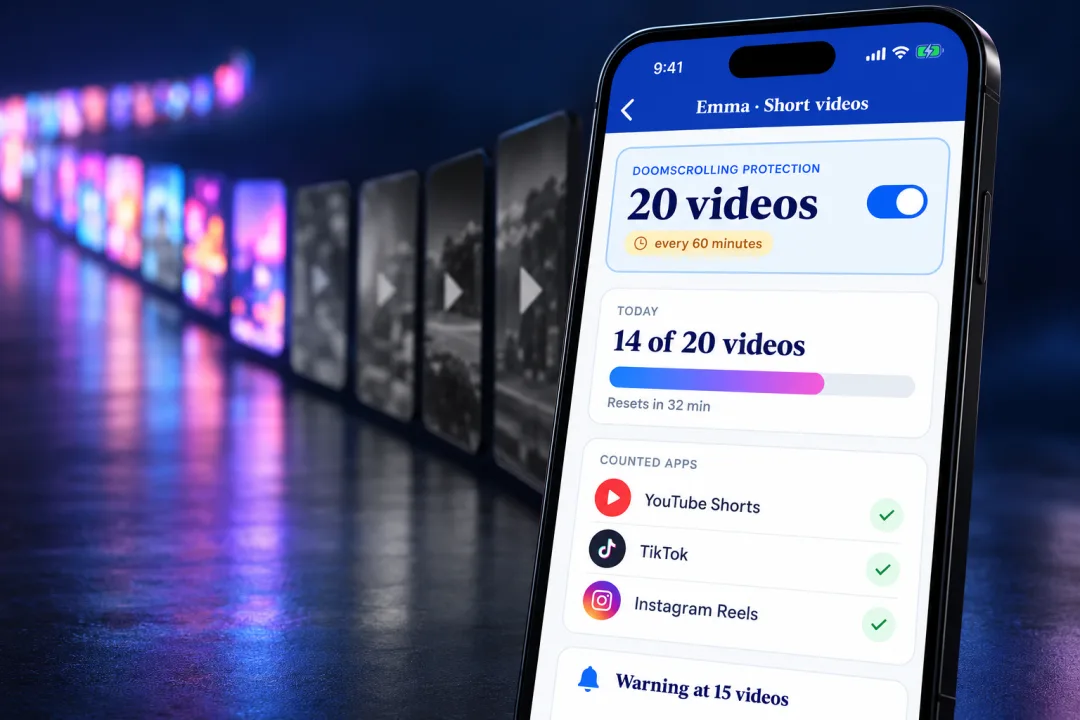
The SafeNeat setting for short videos: 20 videos every 60 minutes, with a warning at 15.
  1. You pick the number

    Twenty short videos every sixty minutes, say.

  2. Your child gets a warning

    It shows as the limit approaches, so the stop is never a surprise.

  3. Short videos pause

    Until the window resets. Everything else on the phone keeps working.

On phones: YouTube Shorts, TikTok and Instagram Reels. On Windows: YouTube Shorts.

What the research says about doomscrolling

Screen time, app limits and location, included

The controls every parent expects, in the same app.

Screen time and bedtime

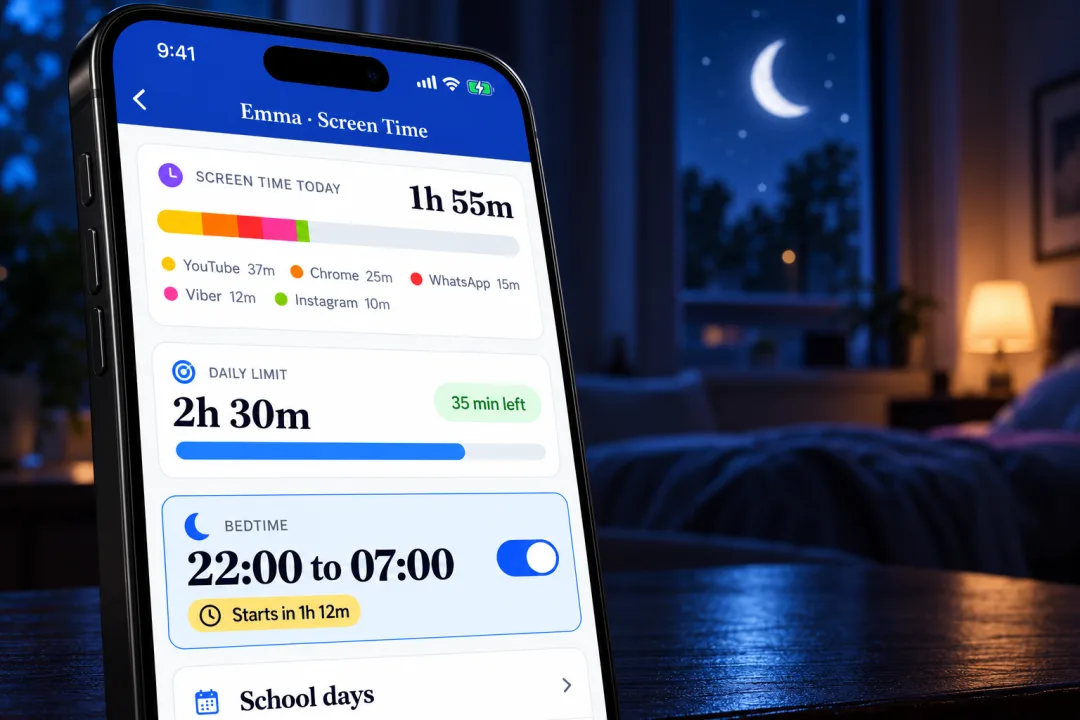
Rules that stay on, even when you're out
Rules that stay on, even when you're out

Daily screen limits, school-day modes that auto-activate, and a bedtime that starts when you choose, without the nightly argument.

You set the rules once. SafeNeat does the enforcing, quietly, consistently, without making you the “bad guy.”

App and web limits

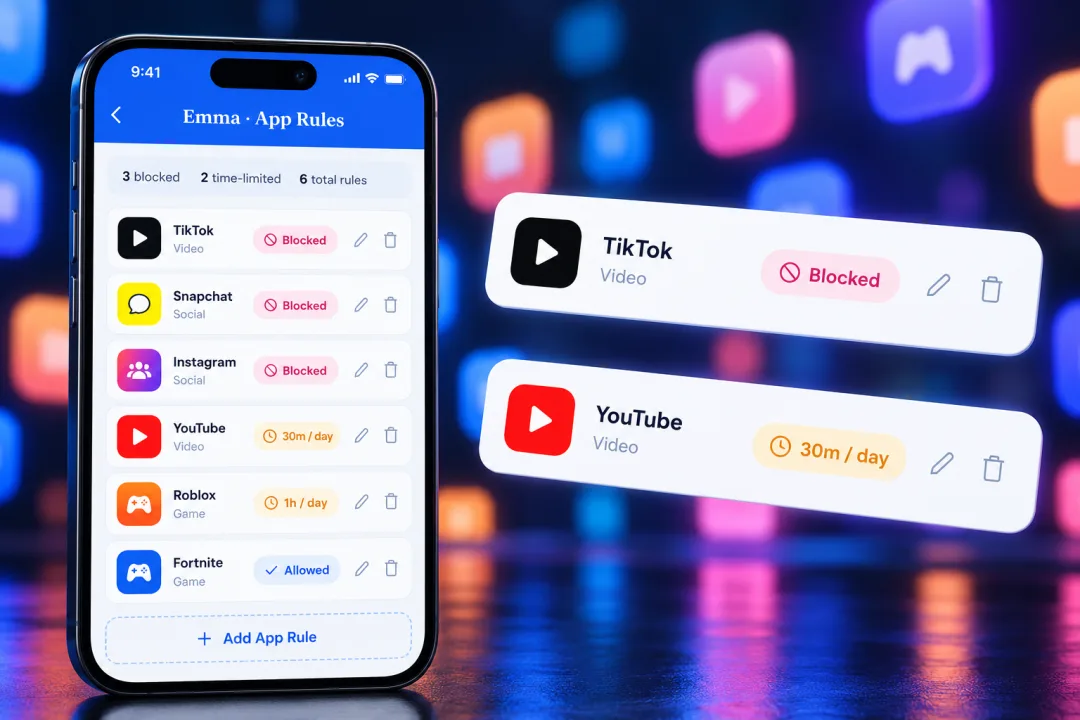
These apps want your child all day. You decide how long.

These apps want your child all day. You decide how long.

Set time limits, block during homework or bedtime, and see exactly how much time they spend.

...and thousands more. SafeNeat works with any app on Android and Windows.

Location and safe zones

Know where they are, always

Know where they are, always

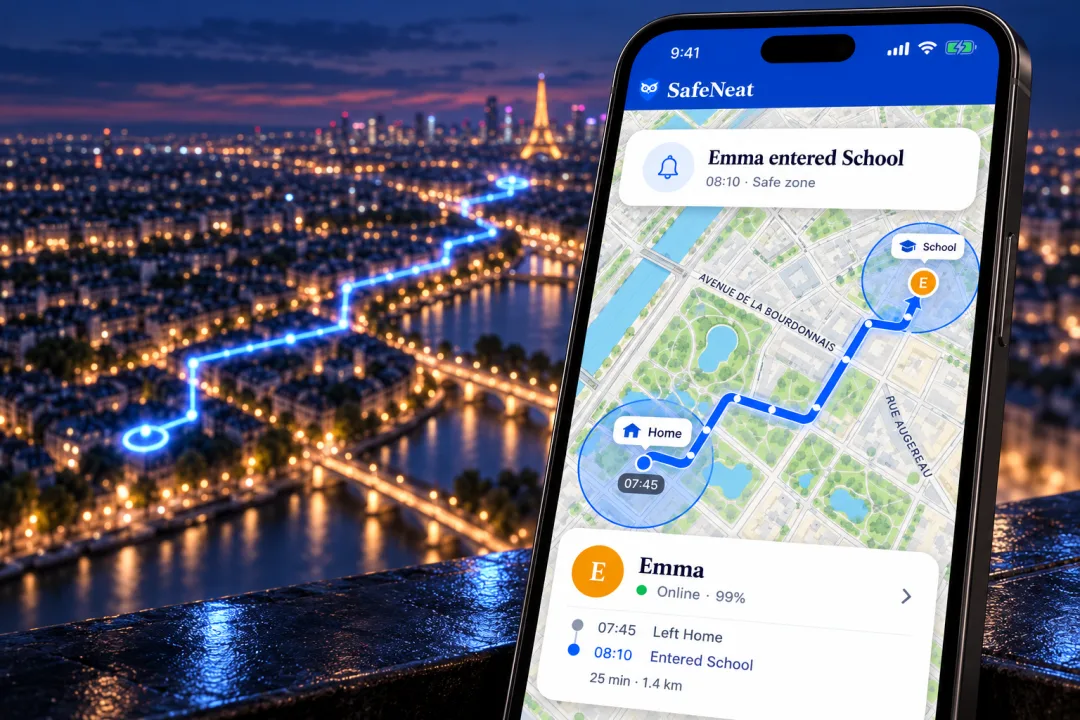
Set up safe zones around the places that matter: home, school, the park. Get instant alerts when your child arrives or leaves.

  • Draw safe zones around home, school, and activities
  • Instant alerts when they arrive or leave a zone
  • Real-time location on a live map
  • Full location history and timeline

End-to-end encryption

Your child’s data stays in the family

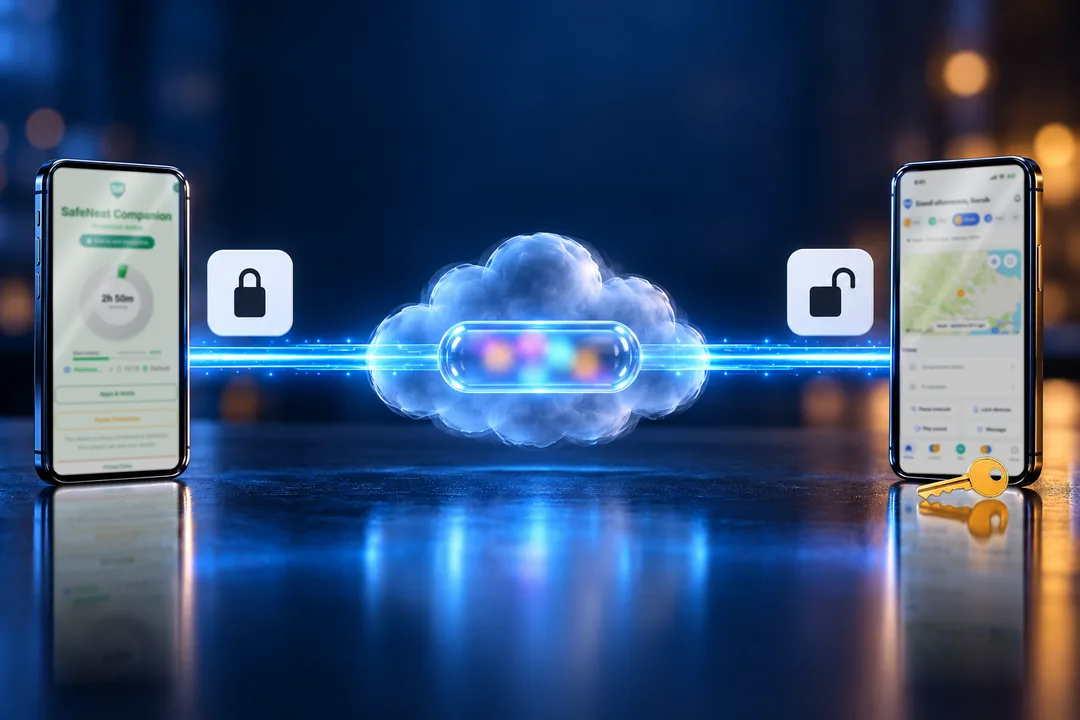
The child’s phone and the parent’s phone, joined by a line of light. The data locks as it leaves the child’s phone, passes the cloud as a sealed capsule nobody can read, and opens only on the parent’s phone, which has the family key.
№ 1

The only parental control app in the world with true end-to-end encryption.

Only members of your family can read your child’s sensitive data.

Where your child is, the safe zones, the emergency contacts and the websites they visit are locked on your family’s own devices before they are sent, and only those devices have the key.

The rules, such as time limits, can be changed only by the parents, from their own account.

That means even in the event of a breach, your child’s sensitive data cannot leak.

What worries you most?

The most common worries, and what SafeNeat does about each.

  • My child can't stop scrolling

    Set how many short videos they can watch. At the limit, TikTok, Shorts and Reels pause.

    What the research says
  • Too much screen time

    A daily limit, school-day schedules and a bedtime that locks the phone until morning.

    Screen time by age
  • Signs of phone addiction

    See which apps take their day, hour by hour, before you decide what to limit.

    The signs to look for
  • Harmful sites and content

    Block whole categories of websites, such as adult, gambling and drugs, and force safe search.

    Internet dangers for kids
  • TikTok and social media

    Give each app its own daily time, or block it completely.

    Is TikTok safe for kids?
  • Hours lost to online games

    Time limits for Roblox, Fortnite or any game, separate from the rest of the phone.

    Online gaming risks
  • Getting to school safely

    Safe zones around home and school, with an alert when they arrive or leave.

    GPS tracking for kids
  • Their first phone

    Start with sensible limits from day one and loosen them as they grow.

    A first phone checklist

Up and running in minutes

Three simple steps to protect your family.

  1. Create your account

    Sign up in under a minute. No credit card needed.

  2. Install on your child's device

    Add SafeNeat on Android or Windows. Takes 5 minutes.

  3. Monitor from anywhere

    Use the web dashboard or parent app to set rules and check in.

Simple, transparent pricing

One plan for the whole family. No surprises.

SafeNeat

€29
per year
✓ No card needed for the trial
Try it free for 7 days

Frequently asked questions

Everything you need to know about SafeNeat.

SafeNeat supports Android phones and tablets, Windows PCs and laptops, and a web-based parent dashboard. iOS support is currently under development and coming soon.

SafeNeat uses device administrator permissions on Android and a background service on Windows. Your child cannot uninstall it without your password, and you'll receive an alert if they try.

Privacy is built into every layer of SafeNeat. We do not record what your child reads or writes: no messages, chats, searches or video titles. Activity data is deleted automatically, after 30 days at most. AI analysis is off until you turn it on, and even then it sees only your child's age, app and site names and times, never names, messages or contacts. We never sell data, show ads, or use your data for training. Only the parents of the family can access its data.

About 5 minutes per device. Our step-by-step guide walks you through every screen. Most parents have everything set up in under 15 minutes.

Yes! One subscription covers up to 6 children, with up to 4 devices each. Each child gets their own profile with their own rules.

SafeNeat starts with a 7-day free trial, no credit card required. After that, one subscription covers your whole family for €29 a year, and you can cancel anytime.

The child receives a warning 5 minutes before their limit. When time expires, blocked apps are locked and the child can send a time extension request that you can approve or deny instantly.

Not at all. SafeNeat is designed for parents, not IT professionals. The setup wizard guides you through each step, and our support team is available if you need help.

We put SafeNeat side by side with Qustodio, Bark and Google Family Link on features, privacy, platforms and price.

See the full comparison

Start protecting your family today.

7 days free. No card needed. Cancel any time.